Salesforce
Stop Prompt Engineering. Start Context Engineering.
Why the context you give an agent matters more than the prompt you write for it.
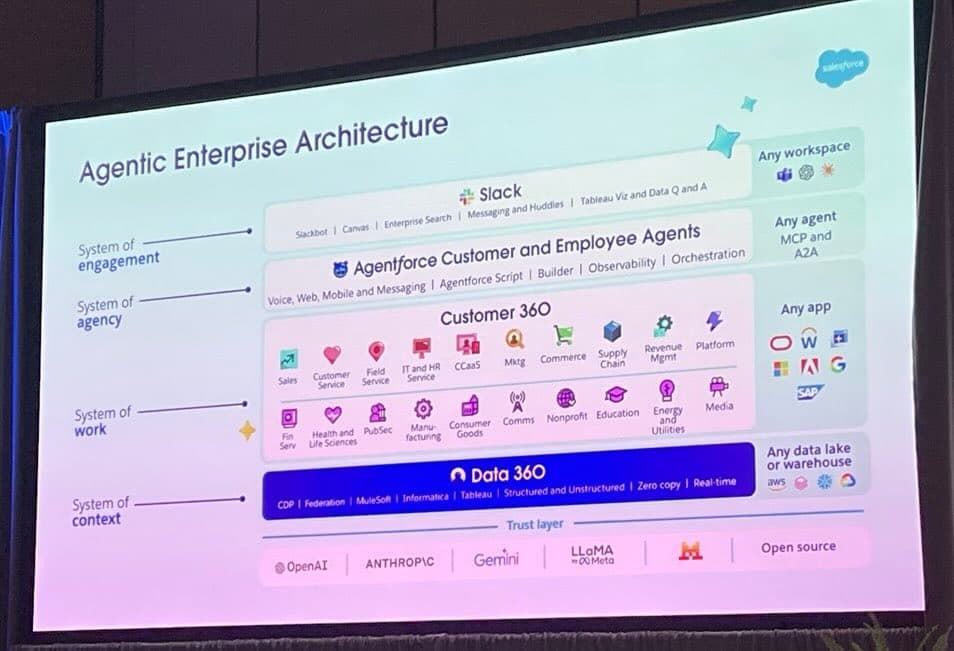
A question came up at the end of a TDX 2026 session: what’s the difference between prompt engineering and context engineering?
The presenter’s answer was blunt: prompt engineering is becoming irrelevant. It was about the construction of instructions. Context engineering is about giving the agent the background it needs to make a decision in the first place. One is fiddling with the wording on the form. The other is teaching the agent how the business actually works.
That distinction lands harder when you watch a production agent fail. The model is fine. The prompt is fine. The agent still picks the wrong record type, modifies the wrong account, or tells a customer something the company stopped doing two years ago. Not because it was badly instructed. Because the context it was given was wrong, missing, or out of date.
Below: why context is the new architectural skill, the four types of context every agent needs, the four questions to ask of each, and where to start without trying to boil the ocean.
Don’t blame the agent. Ask what context you failed to set.
When an employee does something dumb on day three, you don’t fire them. You ask whether they were told. You check the onboarding deck, the SOP, the Slack channel, the half-hour the boss didn’t spend explaining how things work here. The mistake gets traced back to context that was missing or unclear.
Agents deserve the same diagnosis. The presenter put it on a slide that stuck:
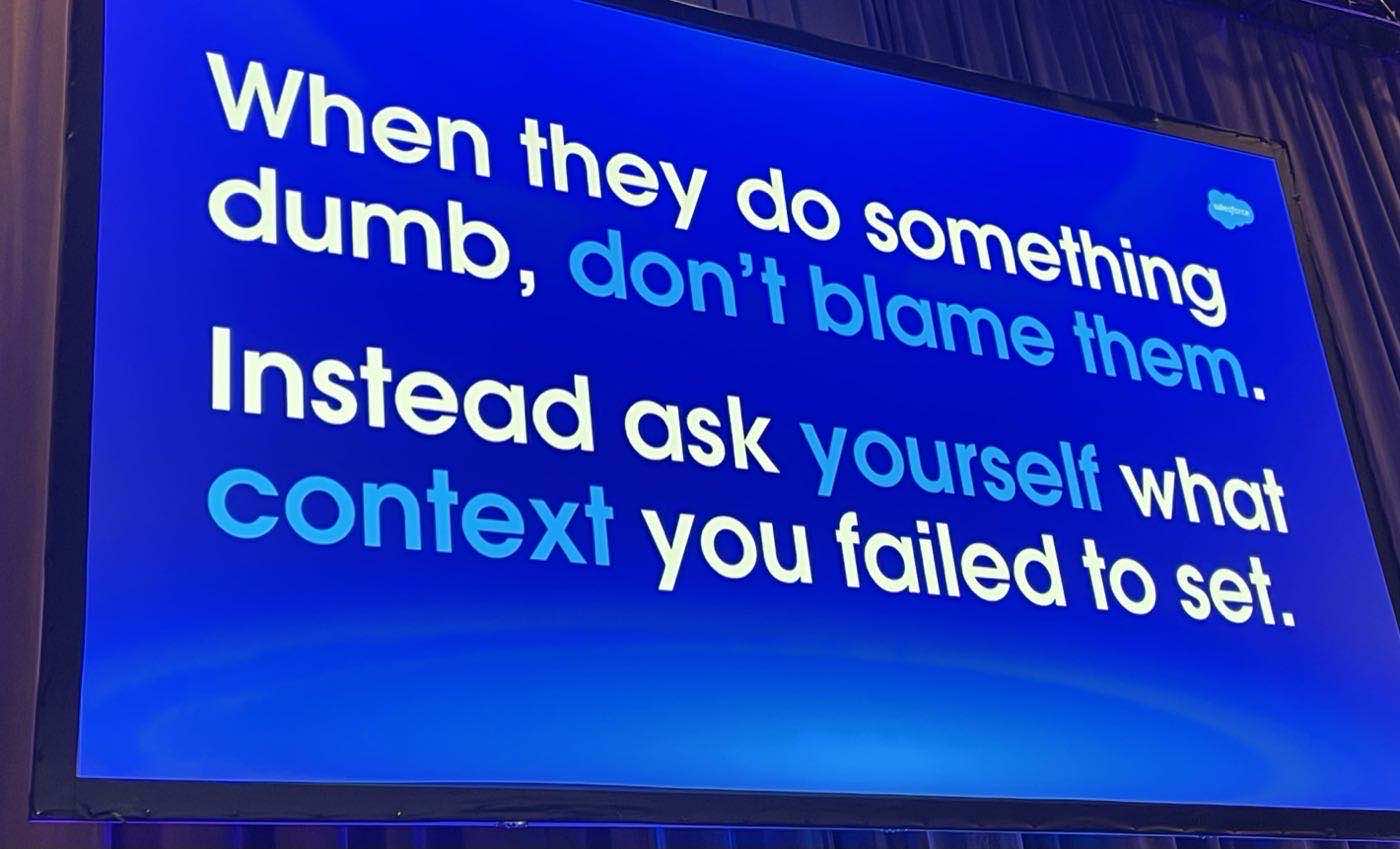
The principle behind context engineering, in one slide.
This reframes the whole job. Building an agent that works isn’t about writing cleverer prompts. It’s about putting the right context, in the right shape, where the agent can find it. Most production failures I’ve seen are context failures dressed up as model failures.
And if you’ve already read the $48,000 API bill story, this is the layer underneath it. Architecture decides what the agent is allowed to do. Context decides whether it does the right thing.
Netflix wrote the playbook for this six years ago
Reed Hastings published No Rules Rules in 2020. The book wasn’t about agents. It was about the strangest workplace culture in the Fortune 500, written down by the CEO because so many people kept asking how it worked.
Netflix had three rules:
- •Build talent density. Hire the highest-performing workforce you can, then make sure everyone around them is just as good.
- •Introduce candor. Give feedback constantly. Give it directly. Make it normal that people accept it without flinching.
- •Remove controls. Strip out approval chains, expense policies, vacation rules. Trust people to make sensible calls because they have the context.
Now read those three rules with agents in mind. Talent density: agents are about as bright as anything you could hire. Candor: agents accept feedback better than any human ever has. Remove controls: this is the bit where most teams panic.
Netflix’s point was that the third rule only works if the first two are in place. You can take the controls off, but only because everyone has the context to make the right call without them. The same principle applies to agents. You can give them autonomy, but only if the context they’re working from is rich enough to support it.
Removing controls without setting context is reckless. Setting context without removing controls is wasteful. The agentic operating model needs both.
The four types of context every agent needs
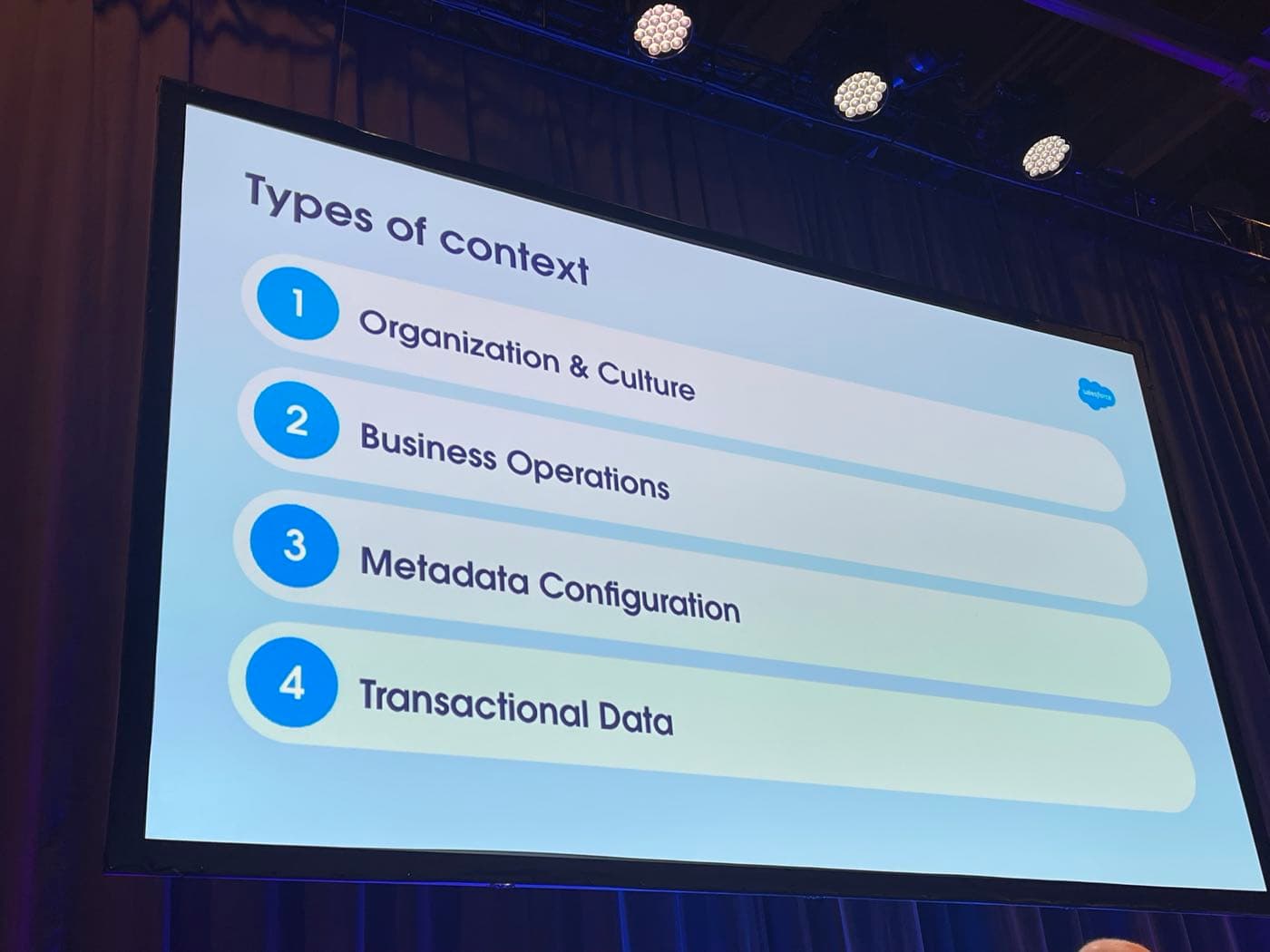
When most teams talk about context, they mean transactional data. The CRM rows, the ticket history, the ERP record. That’s one type. There are four. Each one matters, and the higher up the stack you go, the harder it gets to find.
| Type of context | Where it lives | How structured? |
|---|---|---|
| 1. Organisation & culture | Onboarding decks, CEO videos, the way your boss makes decisions, the things people only learn by being there | Mostly unstructured |
| 2. Business operations | SOPs, flow charts, training videos, application screens, the documentation people half-remember | Semi-structured |
| 3. Metadata configuration | Object models, record types, picklists, validation rules, integration mappings | Structured |
| 4. Transactional data | CRM records, ERP rows, ticket history, the rows in the database | Highly structured |
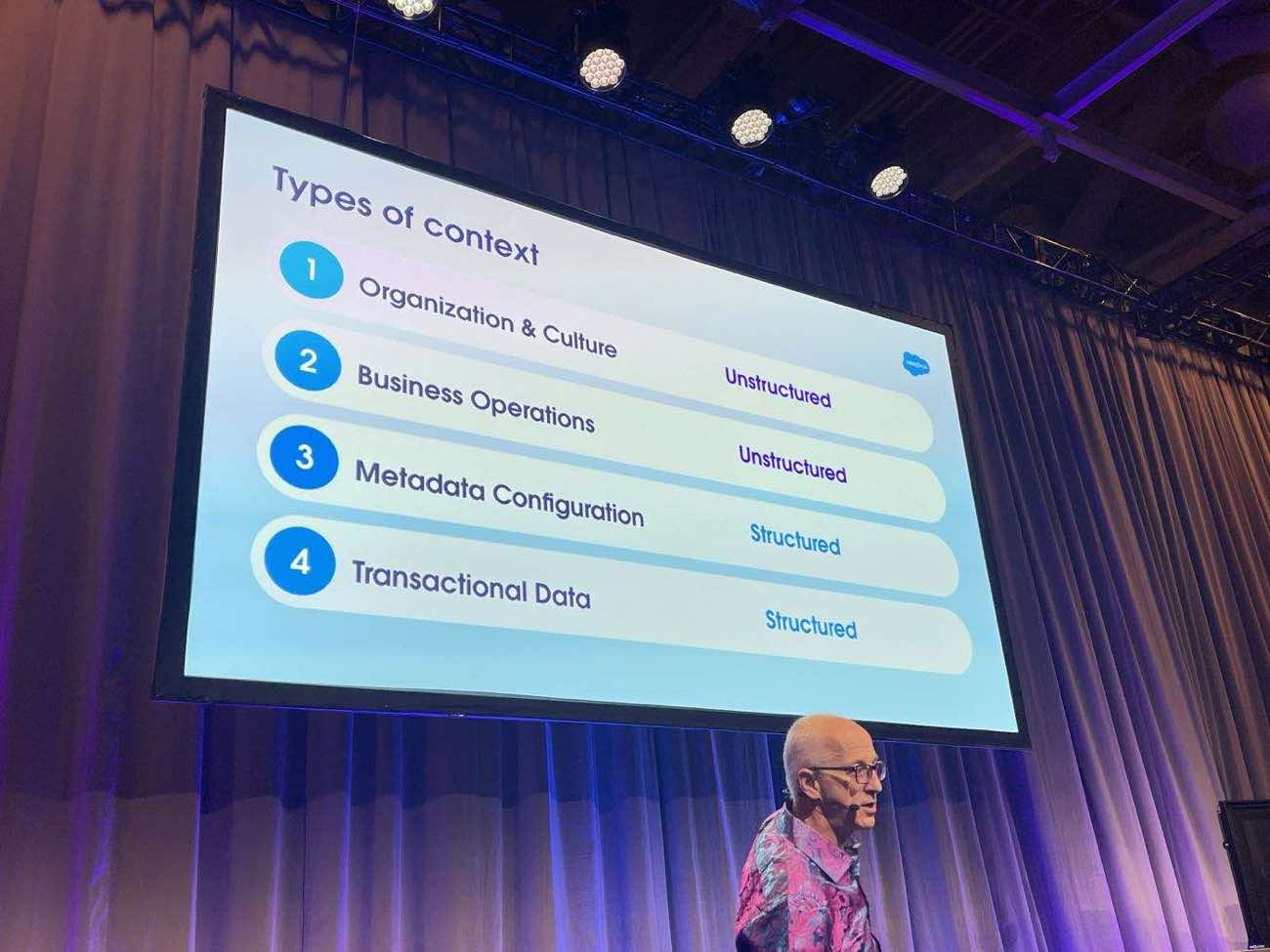
The structured/unstructured gradient: easy to find at the bottom, slippery at the top.
Transactional data: the bit everyone gets right
This is what people think of when they say “context.” Salesforce records, ERP rows, Slack threads, support tickets. Structured, queryable, sitting in systems an agent can already reach.
The trap here isn’t access. It’s relevance. If your account object has three industry fields and nobody knows which one the sales team actually fills in, the agent will pick one and be wrong half the time. Transactional data is easy to plug in. It’s harder to plug in only the data the agent should be using.
Metadata configuration: the layer most teams underestimate
An analysis of 100,000 Salesforce orgs found one with 257 record types on the account object, and 130 picklist fields with hundreds of values each. That meant five million possible mappings between picklist values and record types. How many of those record types had real data behind them? A handful. The rest were noise.
Metadata is the configuration of your systems: which objects, which record types, which fields, which validation rules. Without it, the agent doesn’t know which case object is for billing complaints and which one is for technical support. With it, you can scope the agent to the slice of metadata it actually needs and ignore the rest.
This is where the work most Salesforce teams have been deferring for years suddenly becomes urgent. Clean orgs make context engineering easier. Messy orgs make it nearly impossible.
Business operations: how the work actually happens
Now we leave the structured world. Business operations is the layer that says here is how a billing complaint is resolved at this company. SOPs, flow charts, training videos, the screens of the application people use, the documentation that’s mostly out of date and the tribal knowledge that fills the gaps.
When you ask where business operations live, the answer is everywhere and nowhere. Confluence pages, SharePoint sites, the head of the person who’s been there longest, a flow chart someone drew in 2019 and never updated. The agent needs to draw on this layer to know what to do, and most of it isn’t written down anywhere an agent can read.
There’s an opportunity buried in this. Once you’re forced to write down the business operations for an agent, you usually find places to redesign them. Most processes were optimised around the limitations of humans. Agents have different limitations. The process doesn’t need to look the same.
Organisation & culture: the layer almost nobody captures
At the top of the stack is the layer that decides how this company makes decisions when the SOP runs out. The CEO’s value statement. The way your boss handles a borderline call. The unwritten rule about which customer requests you escalate and which ones you absorb. The onboarding manual that nobody read after week one.
Almost none of this is written down in a form an agent can read. Most of it was absorbed by employees over months of watching how things worked. When a new joiner sees their boss handle a tricky call a certain way, they file it away as “that’s how we do it here.” That filing system doesn’t exist for agents.
Easy to find the data. Hard to find the soft stuff. Yet the soft stuff is what tells the agent what to do when the data runs out.
Why the top of the stack matters most
Common assumption: the data layer matters most because that’s where the facts live. The presenter pushed back on this, hard. The argument is worth quoting:
“Poor decision-making with great data gives you really bad answers. Great decision-making with not-very-good data means you can work around the gaps and still get to the right call.”
Agents are aggressive goal-seekers. Tell one to deliver a result in under two minutes, and it will, regardless of what that experience looks like for the customer. The cultural and decision-making layer at the top of the stack is what tells the agent which trade-offs are acceptable. Without it, the agent optimises for whatever metric is easiest to measure, and your customer service quality drops while the SLAs go green.
Communication is 7% words. What are we doing in agents?
There’s a stat from communications research: 7% of meaning is in the words, 38% is in the tone, 55% is in everything else. Body language, eye contact, the silence before someone speaks, the room they chose to have the conversation in.
“I want to see you in my office.” Same eight words. Said by your boss with arms folded, it’s a disciplinary. Said by your mentor with a smile, it’s good news. Said by HR with no inflection, it’s anything from a promotion to a redundancy. The words are 7% of what’s actually communicated.
What are we doing when we brief agents? Seven percent. The instructions, the prompt, the SOP we shoved into a knowledge base. Almost none of the 93% that humans rely on to read a situation. That’s the gap context engineering tries to close.
The good news: the higher you go up the stack, the more the context applies to every agent. You don’t need to define institutional knowledge separately for each one. The cultural layer gets defined once, properly, and every agent inherits it. The metadata and data layers get tuned per agent. That’s a manageable shape of work.
Four questions to ask of every piece of context
For every type of context, at every layer of the stack, the same four questions apply. They’re uncomfortable. They’re also the difference between an agent that performs and one that hallucinates the company’s policies.
| Question | What you're really asking |
|---|---|
| 1. Exists & ownership | Does this information actually exist anywhere? Where? Who owns it? Who arbitrates when two people own it? |
| 2. Valid & valuable | Is it still correct? Is it relevant at the point the agent will use it? Or is it a 2015 SOP that nobody has touched since? |
| 3. Written & tagged for AI | Was it written for a human reading top to bottom, or for an agent looking up a single fact? Is it tagged so the agent can find the right slice? |
| 4. Access & security | Which agents are allowed to see which documents? Where are the permission boundaries on the data and the metadata? |
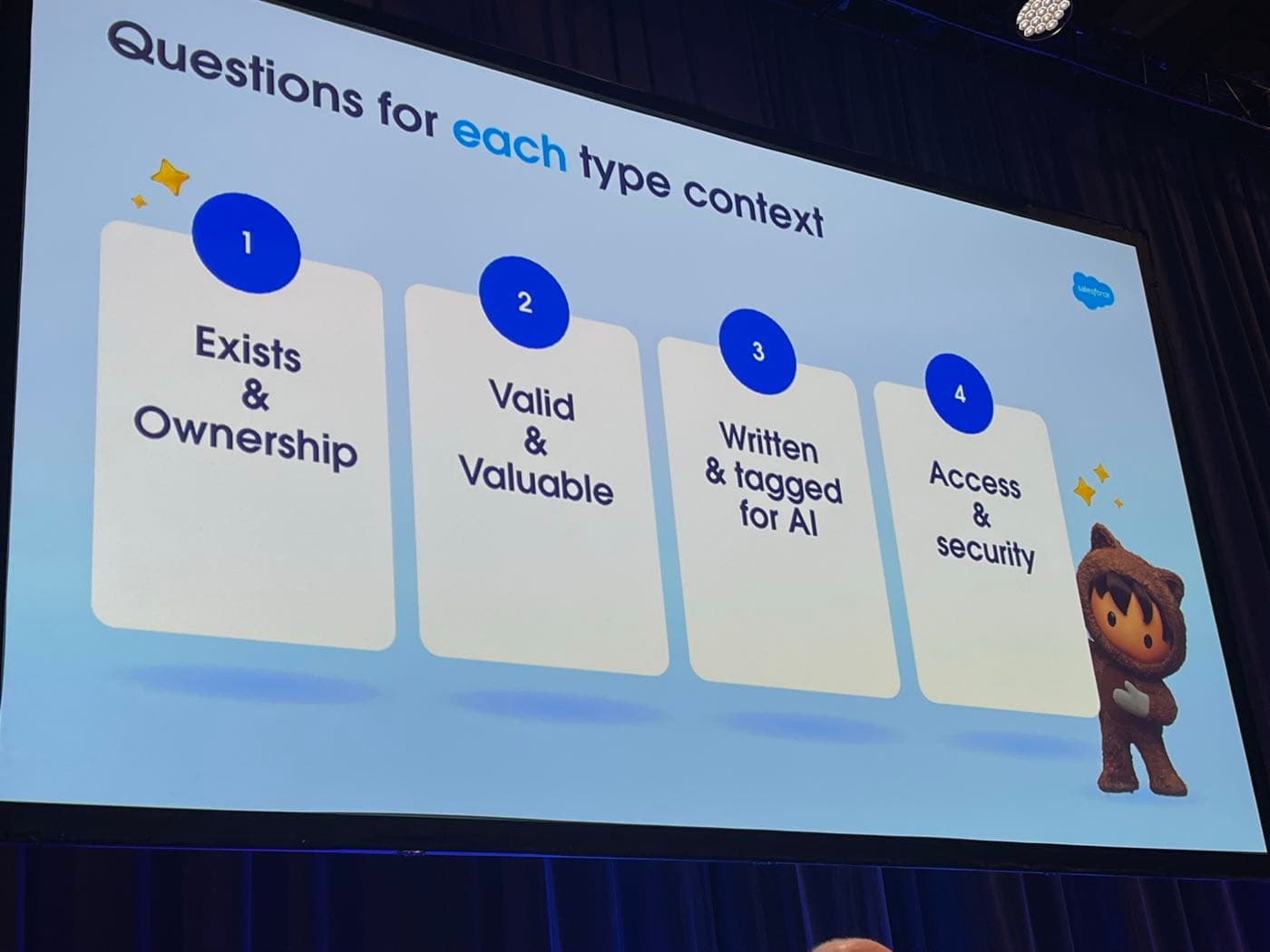
The four questions slide. Apply to every piece of context, at every layer.
1. Exists & ownership
Easy first question, harder than it looks. Does the information actually exist anywhere? Where? And critically, who owns it? Take Salesforce’s own product naming. Sales Cloud. Agent Plus Sales. Sales 360. There is one person at Salesforce who knows what it’s called this quarter. That person is the owner. If your agent is going to reference any of those names, you need to know who’s authoritative when they change again.
Inside your own company it’s the same problem. CRM data is owned by marketing and sales. Opportunity records are owned by the deal lead. When you tell someone to “clean up the opportunity object,” who do they actually go to? Without ownership, the agent works from data that nobody has agreed is correct.
2. Valid & valuable
Two questions in one. Is the content correct? Is it relevant at the moment the agent will use it?
Onboarding documentation from ten years ago is a great example. It probably exists. It probably has an owner. It is also probably full of policies that no longer apply, references to systems that have been replaced, and an instruction not to fly your own plane to a client visit. (Real example. Accenture, 1986.) An agent reading that document doesn’t know which paragraphs are still valid. It treats the whole thing as authoritative.
Context windows make this worse, not better. You can’t throw every SOP and every metadata definition into a context window and expect the agent to figure out which bits matter. You have to do the curation up front. Validity isn’t a vibe. It’s a sign-off.
3. Written & tagged for AI
Most operations manuals were written for humans reading top to bottom. They assume context the reader already has, jump between voices, and hide the actual rule three paragraphs into a discussion of why the rule exists. Agents don’t read like that. Agents look up specific facts, often via embeddings or retrieval, and they need each fact to stand on its own.
Rewriting documentation for AI is a real piece of work. Break long documents into chunks. Tag them by topic, by audience, by recency. Strip out the assumptions. Where the meaning depends on something else (“you’re not allowed to fly the plane” vs “you’re not allowed to pilot the plane”), spell it out. This is where graph databases earn their keep, capturing the relationships between concepts rather than just the words.
The lazy alternative is throwing everything into a vector database and hoping the model sorts it out. It won’t. The model will pull the chunk that scores highest on similarity, even if that chunk is wrong, out of date, or contradicted by the next document along.
4. Access & security
Which agents are allowed to see which documents? Which records? Which metadata? An HR onboarding agent shouldn’t see the salary data. A customer-facing support agent shouldn’t see internal pricing strategy. The permission model that already exists for humans needs to be extended to agents, and it needs to be enforced at the context layer, not bolted on later.
This is also where external documents get dangerous. If your policy documentation is public, assume it is being read by people gaming the system as well as customers using it correctly. Government agencies have learned this the hard way. Be honest about which documents are written with adversarial reading in mind. Most of yours probably aren’t.
Where to start without trying to boil the ocean
The reaction to all of this, in every workshop I’ve run on it, is the same: our org is huge, our documentation is a mess, we will never get through this. Correct. You don’t need to.
Pick one narrow agent. Make it internally facing if you can. Pick a process that’s well-bounded, well-understood, and owned by a single team. Work the four questions across the four layers, just for that one agent. You will find gaps, but they will be a finite set of gaps you can actually close.
The ideal first agent: HR onboarding
An onboarding agent is close to perfect for a first run at context engineering:
- •Internally facing. If it gets something wrong, the cost is a confused new joiner, not a public-facing service incident.
- •Owned by HR. One team owns the process, the documentation, and the success measure.
- •Bounded. Fixed set of documents, fixed set of questions new joiners ask in their first month, predictable interaction patterns.
- •Strategically valuable. Onboarding is the first thing every employee touches. Doing it well sets the tone.
- •Forces the cultural layer. An onboarding agent has to encode “how we do things here.” You can’t avoid the top of the stack. Which is the bit you’ll need for every agent that comes after it.
Run the four questions across each of the four context types for that single agent. Audit the onboarding pack: does it exist, who owns it, is it still valid, was it written for AI, who’s allowed to see what. Clean it as you go. Use the agent itself as the forcing function for the documentation work that’s been deferred for years.
Then move to the next agent. Most of the cultural and operational context you wrote for the first one carries over. The marginal cost drops. By the time you’ve done three, you have a context library, not three isolated agents.
Don’t take all your documentation, throw it in a database, and assume AI will sort it out. Take the things that are valid, correct, and answer the four questions. Only those make it in.
What this means for delivery teams
Context engineering isn’t a new tool. It’s a new responsibility. Someone on the team has to own the answer to “what does this agent need to know, where does that knowledge live, and is it in a shape an agent can use?” That role doesn’t map cleanly onto admin, developer, or business analyst. It sits across all three.
For Agentforce programmes specifically, this changes what your delivery plan needs to include. A working agent now has a context audit alongside the build. The audit should produce a one-page view of which context exists, which is missing, which needs rewriting, and who owns what. Without that, you’re building on assumptions.
The platform is making the build side easier. Data 360 grounds the agent in clean transactional data. Agent Script gives you deterministic flow control. The Agent Exchange is filling up with reusable patterns. None of those features fix bad context. They run faster on top of it.
Prompt engineering was about wording. Context engineering is about the operating model. The teams that get this right will ship agents that hold up. The teams that don’t will keep blaming the model.
Want help running a context audit on your first Agentforce build?
We work the four questions across the four layers for one specific agent, then give you a one-page view of which context exists, which is missing, and what needs to happen before you go live. Calm, evidence-led, and short enough to act on.
Get in touchFurther reading
Source material and authoritative references for the topics in this article.
- •No Rules Rules — Reed Hastings & Erin Meyer — the 2020 book on Netflix’s talent-density-plus-candor culture, and the source of the “remove controls” principle this article extends to agents.
- •Salesforce Agentforce platform — the official Agentforce product page, including Agent Script and Data 360.
- •Salesforce Help: Data Cloud / Data 360 overview — the documentation on how Salesforce grounds agents in transactional and metadata context.
- •Model Context Protocol (MCP) specification — the open standard for how agents access tools and context across systems.
About the author

You may also like…
Your Agent Isn't Broken. Your Architecture Is. Lessons from the $48,000 API Bill