Salesforce
Marketing Cloud Next: What It Actually Means For You
Plain-English takeaways from London’s Calling 2026, for anyone on Marketing Cloud Engagement or Account Engagement wondering what happens next.
One quote from London’s Calling 2026 has stayed with me more than any roadmap slide. It came from Bobby Jania, the CMO of Salesforce’s Agentforce Marketing org, and a speaker put it up on screen without softening it.
“We are using the most powerful technology in history to send more one-way spam, faster.”
That’s the honest frame for everything Salesforce announced for marketers this year. The tech is real. The risk is that we point it at the same old blast-and-hope playbook. Marketing Cloud Next is Salesforce’s answer, and it’s a bigger change than the name suggests.
I spent a day across the Marketing Cloud sessions at London’s Calling: the marketers’ guide to Data Cloud, a hands-on Agentforce for Marketing workshop, and a session on the skills that are about to matter. Here’s the thing nobody said out loud but everyone noticed. Almost nothing in this release was an update to the product you use today. Practically every announcement was Marketing Cloud Next.
So I’ve pulled the takeaways together the way I’d explain them to a colleague over coffee: what’s actually changing, what you gain, what you lose, and the unglamorous work to do before any of it lands on your roadmap.
First, why this is happening now
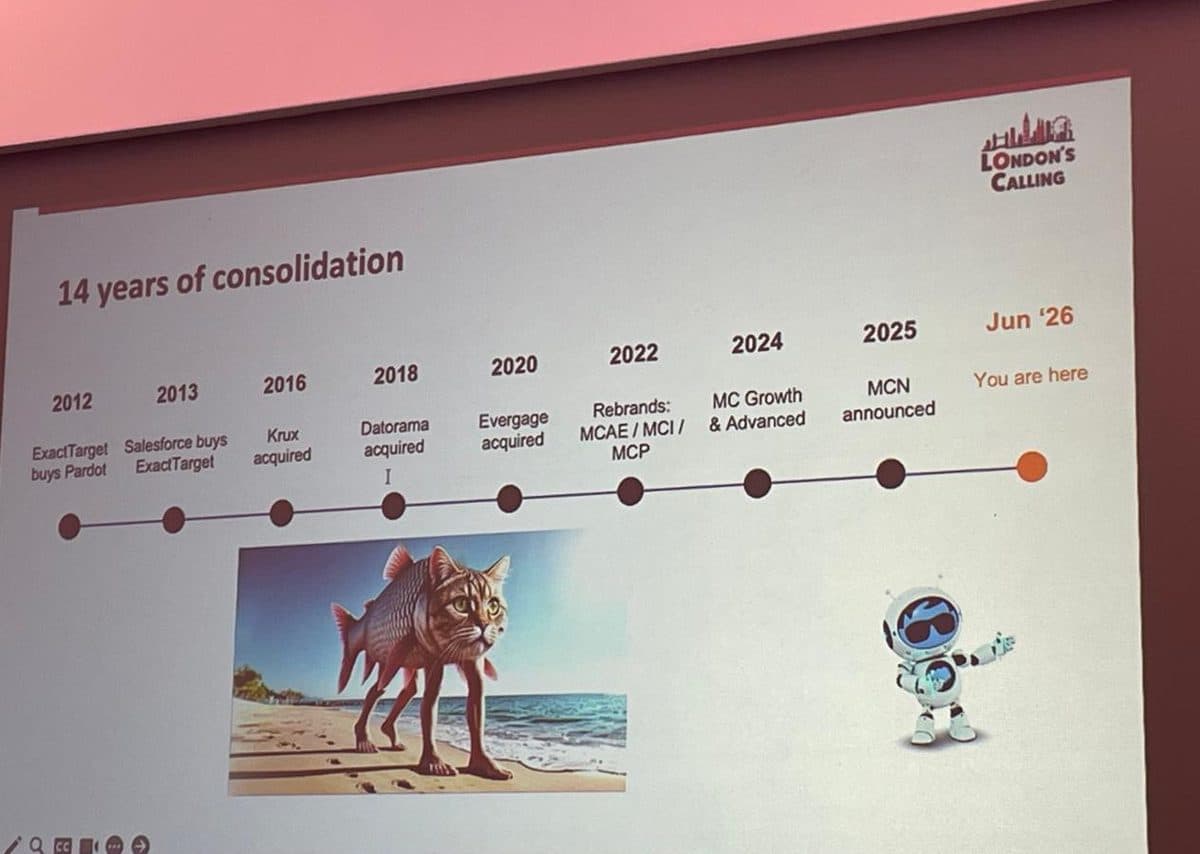
Marketing Cloud has been fourteen years of consolidation. ExactTarget bought Pardot in 2012. Salesforce bought ExactTarget in 2013. Then Krux, then Datorama, then Evergage. Each one arrived as a separate tool with its own login, its own data model and its own way of doing things. If you’ve ever had to explain to a client why “Marketing Cloud” meant five products that didn’t quite talk to each other, you know the pain.
Marketing Cloud Next is the un-doing of that. One platform, on core Salesforce, on one data layer. The speaker’s timeline ended with a blunt marker: Jun ’26, you are here. Marketing Cloud Next was announced in 2025, and the bundling has started. That’s the context for every question below.
What does Marketing Cloud Next mean for me on Engagement or Account Engagement?
Short version: the ground under your marketing tool is moving from a bolted-on platform to native Salesforce. Here’s the same recap the room got, side by side.
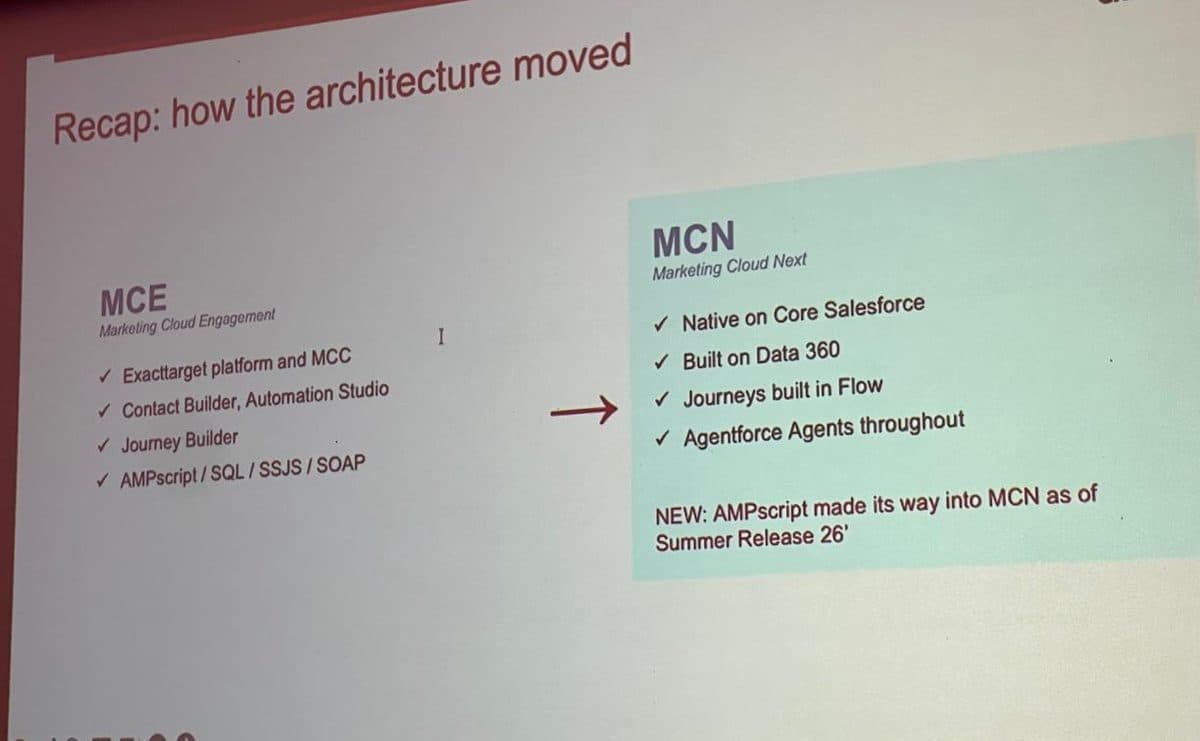
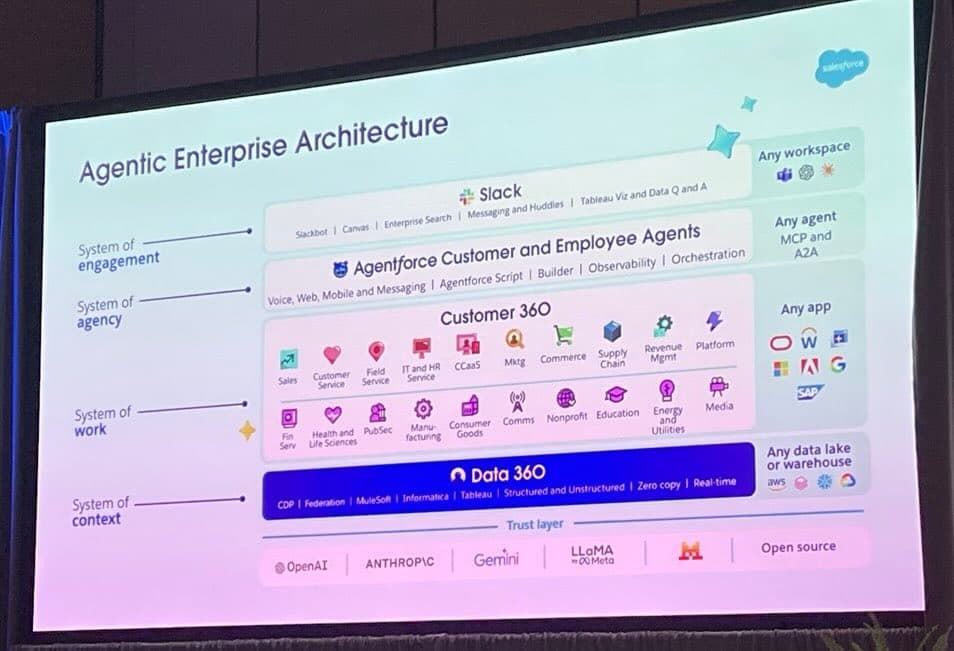
Marketing Cloud Engagement was the ExactTarget platform with a connector. Marketing Cloud Next is native on core, built on Data 360.
| Marketing Cloud Engagement (MCE) | Marketing Cloud Next (MCN) | |
|---|---|---|
| Built on | The old ExactTarget platform, bolted onto Salesforce with Marketing Cloud Connect. | Native on core Salesforce, built on Data 360. |
| Journeys | Journey Builder and Automation Studio. | Built in Salesforce Flow. |
| AI | Einstein features bolted on. | Agentforce agents throughout: campaigns, segments, journeys. |
| Scripting | AMPscript, SQL, SSJS, SOAP. | AMPscript arrived in Summer '26. Natural-language prompting for most of the rest. |
| Pricing | Contacts and super-messages. Roughly per-person. | Consumption credits. You pay for what you run. |
If you’re on Account Engagement (the product formerly known as Pardot), the same gravity applies. It moves towards Data 360 and the native experience too. You can already build segments in Data 360 and push them into Account Engagement, which is a gentle way to start walking in this direction without a big-bang migration.
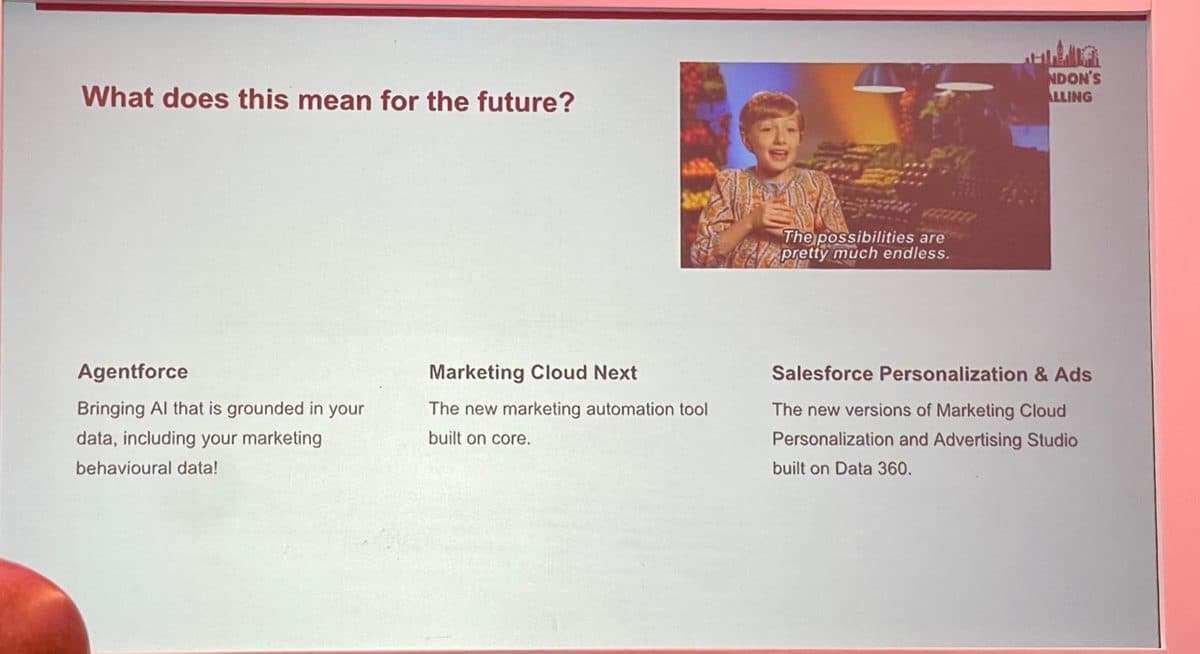
Three things sit on the same foundation now: Agentforce, Marketing Cloud Next, and the new Personalization and Ads, all grounded in Data 360.
Are you about to be switched off? The coexistence horizon
This was the question on everyone’s mind, so one speaker put it to a live vote: how long will Marketing Cloud on core coexist with the old Marketing Cloud? The options ran from “until the end of 2025” to “both will stay for different target groups.”
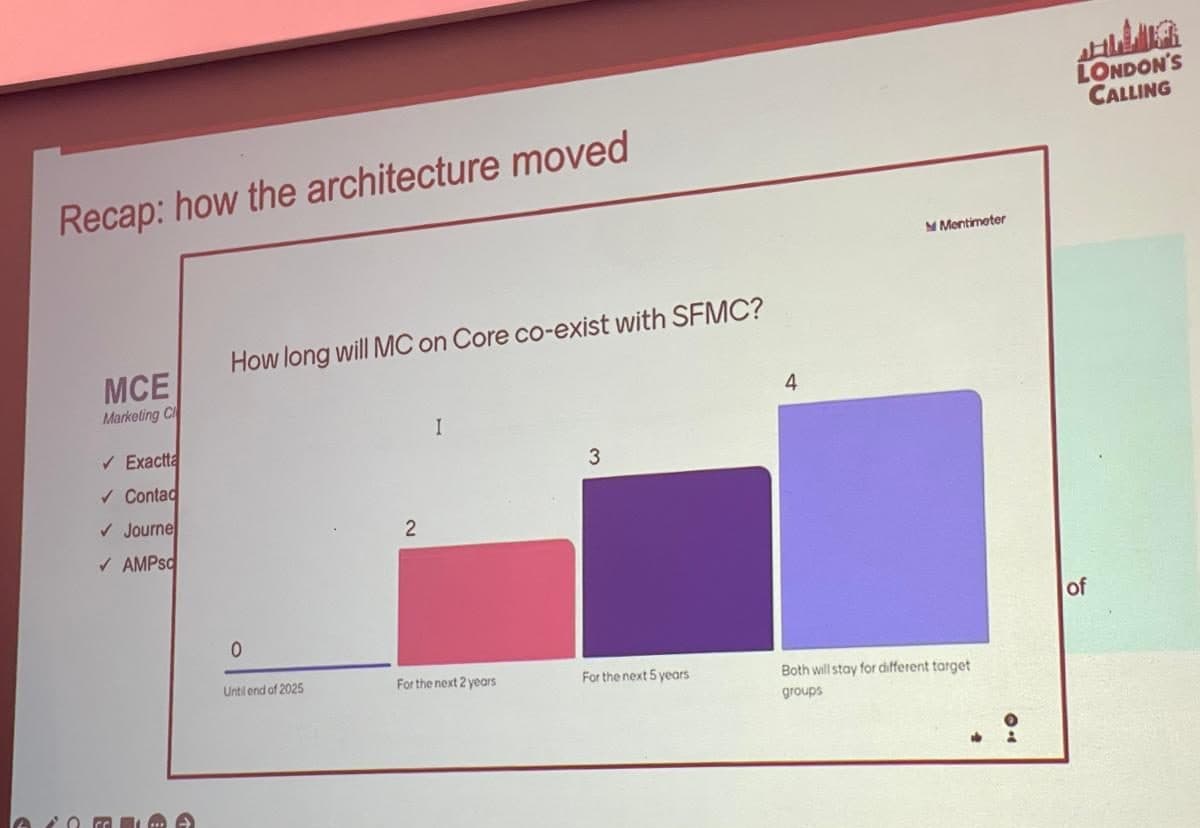
The room voted in years, not months. Nobody serious thinks Engagement disappears next quarter.
The room leaned long. The working assumption was years, not months: think a four to five year horizon before Engagement is genuinely behind us, and a real chance the two run side by side for different use cases well beyond that. That matters for how you plan. You are not being switched off this year. You also can’t pretend nothing is changing. The honest position is somewhere in between: a migration you control, on a timeline you set.
Treat Marketing Cloud Next like a multi-year migration you own, not a fire drill someone else started. The teams that panic overspend. The teams that ignore it get caught flat.
What will you lose, and what are the limitations right now?
This is the part vendors skip, so let’s be straight about it. Moving to Marketing Cloud Next is not a like-for-like upgrade. You gain a lot. You also give up some things, at least for now.
- Muscle memory. Journey Builder, Automation Studio and Engagement Studio are gone. Journeys are built in Flow. Anyone who lives in the current builders has real relearning to do.
- Scripting maturity. AMPscript only returned to Marketing Cloud Next in the Summer ’26 release. SSJS, SOAP and some of the deeper Automation Studio and SQL patterns are reduced or done differently. If your org leans on bespoke scripting, audit it before you commit.
- A clean migration path. Said plainly in the room: we still don’t know how to migrate nicely. There’s no one-click route from Engagement to Next today. Your journeys, templates and data need rebuilding with intent.
- Predictable billing. Consumption pricing is more flexible, but it means watching what you run. A segment that recalculates constantly, or an agent that’s a bit too curious, now has a cost attached.
None of this is a reason to stay put. The gap closes with every release, AMPscript being the obvious recent example. It is a reason to plan the move rather than be moved, and to check the current release notes against your real dependencies before you set a date.
What is Marketing Cloud Growth, and Advanced? And the consumption model
Marketing Cloud Next comes in editions. The two you’ll hear most are Growth and Advanced. They sit on the same foundation. Advanced doesn’t replace Growth, it extends it for teams ready to do more.
| Marketing Cloud Growth | Marketing Cloud Advanced | |
|---|---|---|
| Who it's for | Teams starting out on the native platform. Core campaigns, email, basic automation. | Teams ready for more depth: complex journeys, broader channels, heavier personalisation. |
| Foundation | Core Salesforce + Data 360. | Same foundation. Advanced builds on Growth rather than replacing it. |
| Commercials | Consumption credits. | Consumption credits, with the extra capability metered as you use it. |
The bigger shift is how you pay. Marketing Cloud Next runs on a consumption model: credits you spend as you send, build and compute, rather than a fixed licence for a pot of contacts. Here’s the quietly reassuring part. Marketers already think this way. We’re used to paying for contacts, for super-messages, for sends. A consumption model is the same instinct, just applied across more of the platform. The mental model transfers more easily than the finance team might fear.
CDP vs data warehouse: Data 360 vs Databricks. Don’t they do the same thing?
This was my question, honestly. I wanted to get it straight in my own head, and I suspect plenty of you are wrestling with the same one. If we already have a data warehouse like Databricks or Snowflake, why do we need Data 360? Can’t they both do the same thing?
Not quite. They’re built around different centres of gravity. A data warehouse is built around the table: it stores enormous volumes and runs heavy compute. A customer data platform like Data 360 is built around the person: it resolves identity, stitches scattered records into one unified profile, and makes that profile usable for marketing, service and AI.
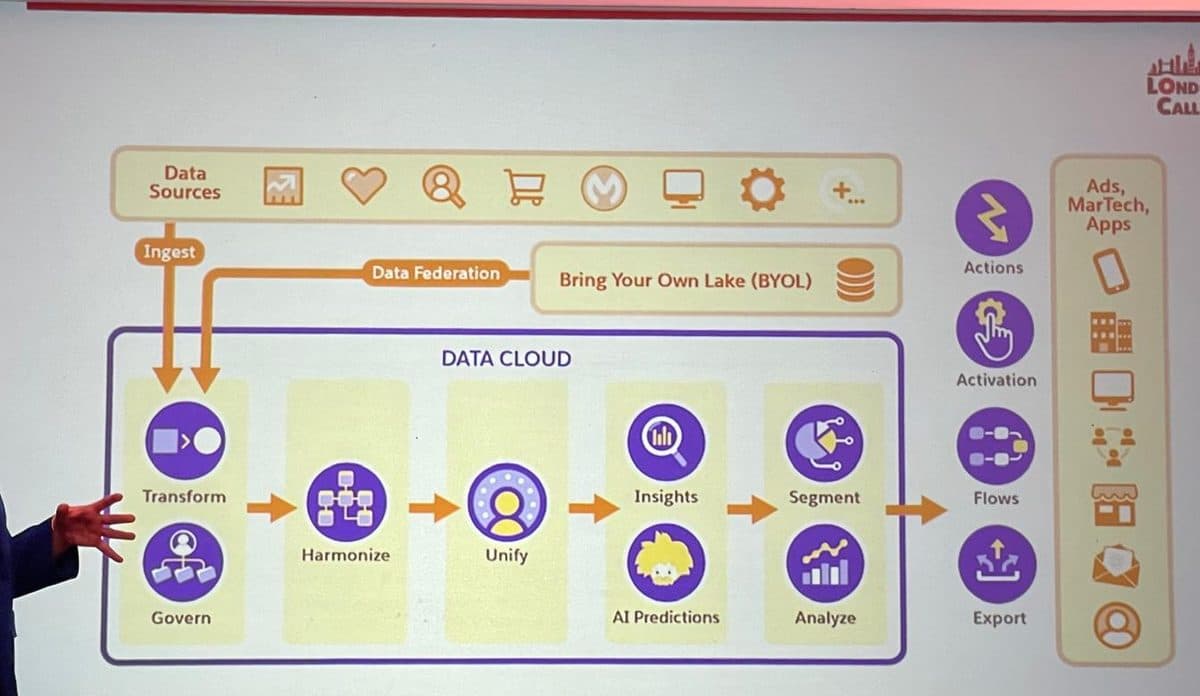
Data 360’s whole job is the path from scattered sources to a single, activated customer. The warehouse stores; the CDP unifies and acts.
| Data 360 (the CDP) | Databricks / Snowflake (the warehouse) | |
|---|---|---|
| Main job | Resolve identity, build one customer profile, segment and activate it. | Store enormous volumes of data and run heavy compute and analytics on it. |
| Shaped around | The person. A unified individual you can target. | The table. Rows, columns, queries. |
| What it's best at | Marketing and service activation, real-time profiles, grounding agents. | Data engineering, modelling, reporting at scale. |
| Do you need both? | Usually yes. Data 360 federates to the warehouse instead of copying the data twice. | Stays your source of truth. Zero Copy keeps it there. |
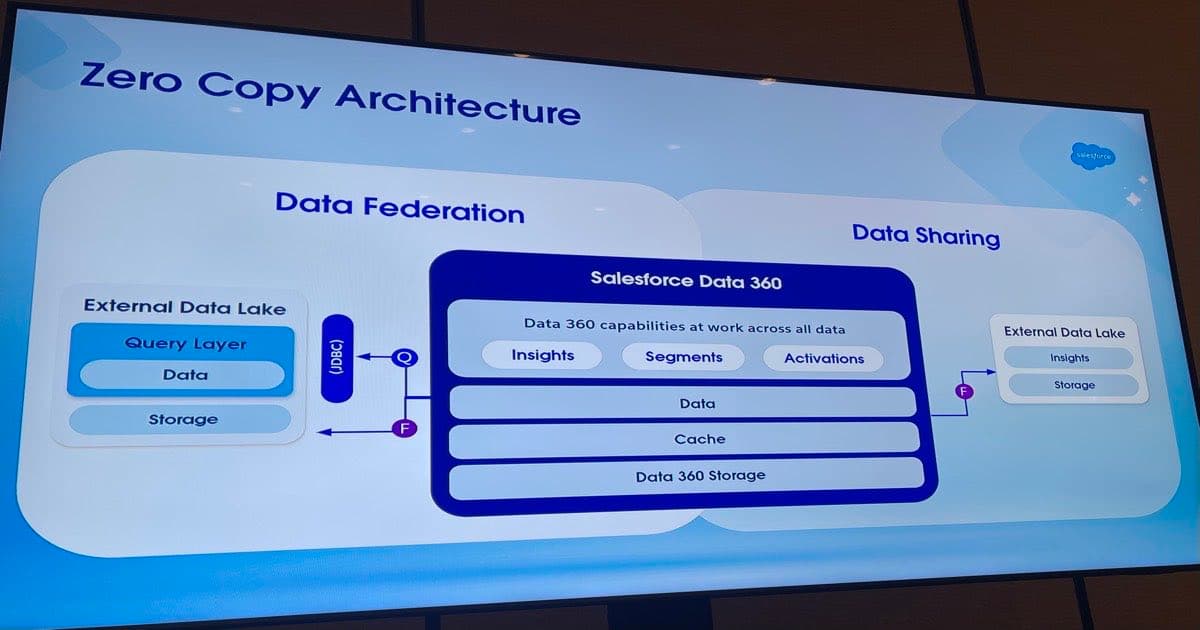
The key point: they’re partners, not rivals. Data 360 doesn’t want a second copy of your warehouse. Through Zero Copy it can query the data where it lives. If you want the full version of that story, I wrote it up separately in Zero Copy, Three Ways.
Why Data 360 keeps becoming more essential
Here’s the line that landed hardest in the hands-on session. Data 360 is to Marketing Cloud Next what the contacts model was to Engagement. It’s not an add-on. It’s the floor everything stands on.
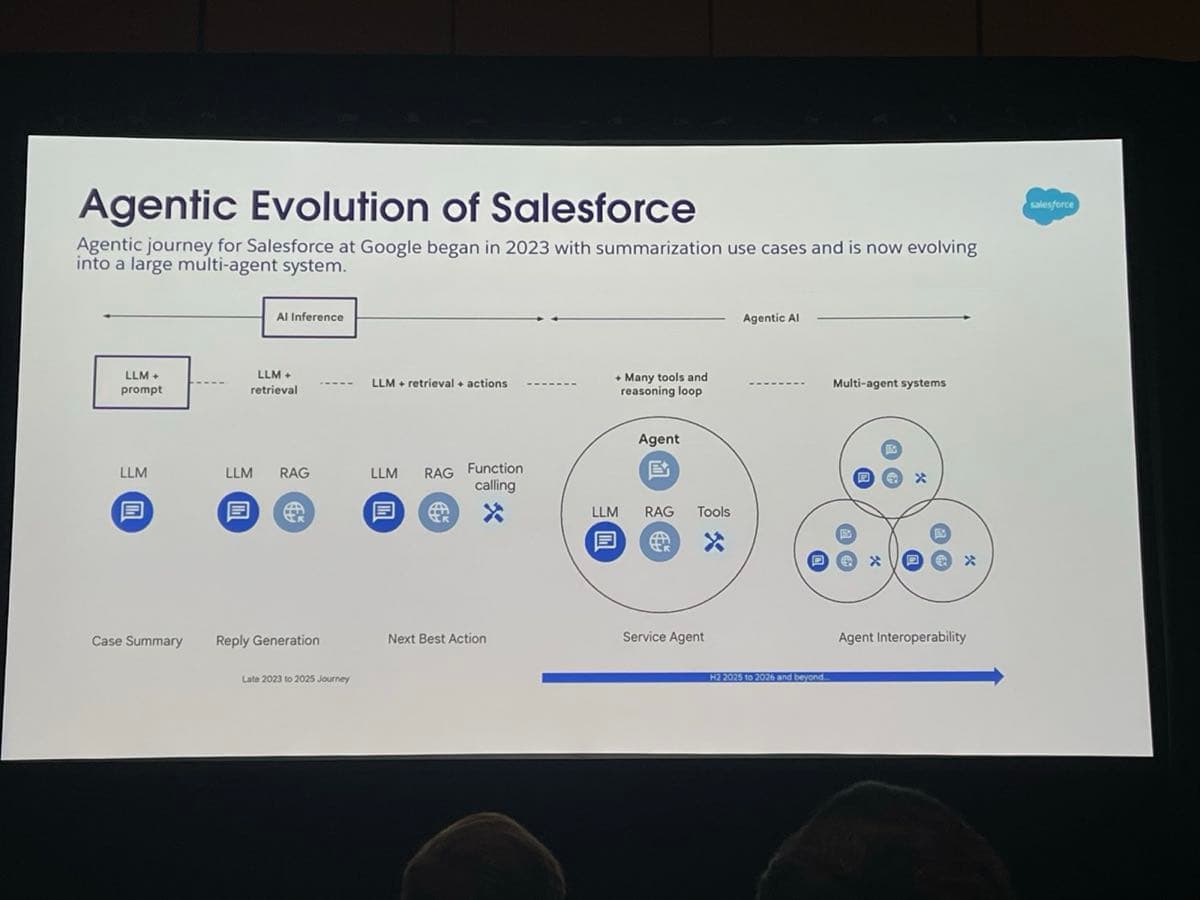
The reason is agents. You can build a simple agent without Data 360. But if you want an agent that actually knows your customer, that can answer a question about a specific product or make a sensible decision in a journey, it has to be grounded in real, current data. Without that, you’ve just rebuilt a chatbot that makes things up confidently. Data 360 is what stops that.
Underneath it, the thing that makes all this work is identity resolution. The session used a lovely image for it: a key ring.
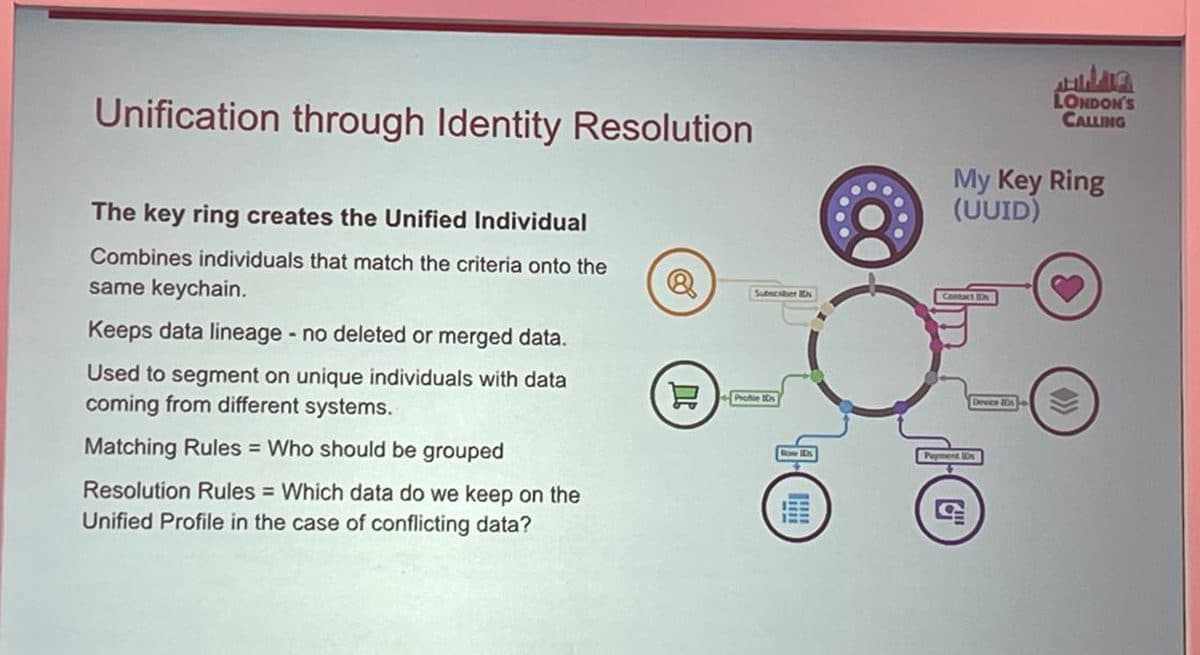
Every scattered identifier becomes a key on one ring. Matching rules decide who gets grouped; resolution rules decide which value wins when they conflict.
Each system gives a person a different key: a subscriber ID here, a contact ID there, a device ID, a loyalty number. The key ring collects them onto one unified individual. Matching rules decide who belongs together. Resolution rules decide which value to trust when two systems disagree. And unlike the old days, nothing is deleted in the merge, so you can change your mind later as you learn more about the customer. Get this right and your personalisation works. Get it wrong and the same person gets two emails because a typo in their name spun up a second profile. That’s not a theoretical risk, it’s the most common own goal in the room.
What is AMPscript, and why is it useful?
AMPscript is Marketing Cloud’s own scripting language for personalising messages. In plain terms, it’s how you pull the right data into an email or SMS at the moment it’s sent. A name, an order, a balance, a recommended product, a block of content that changes per recipient. It runs inside the message and builds it on the fly for each person.
Why it’s useful: it’s the difference between a template and a genuinely personal message at scale. It’s also why AMPscript’s absence was a real sticking point for Marketing Cloud Next early on. Teams with years of AMPscript in production couldn’t see how to move. The good news from this release is that AMPscript returned to Marketing Cloud Next in the Summer ’26 release for Growth and Advanced, so that bridge now exists.
If “we can’t move because of our AMPscript” was your blocker, check again. It landed in Summer ’26. That objection has a shelf life now.
Data views and calculated insights, explained
What are data views, and why do they keep coming up?
Data views are the hidden tables behind Marketing Cloud Engagement. You don’t see them in the interface, but they quietly record what your subscribers do: every send, open, click, bounce and unsubscribe. You query them with SQL. They’re where the real engagement history lives.
They come up in this conversation for two reasons. First, monitoring: the advice in the mistakes session was “don’t assume, check your data views”, because that’s where you find out what your sends are actually doing. Second, and bigger, that engagement history is exactly the data Data 360 wants to ingest. The behavioural gold that’s been locked inside Engagement becomes far more useful once it’s unified with everything else you know about the customer.
What are calculated insights?
Calculated insights are metrics computed across your unified data in Data 360. Lifetime value, average order value, an engagement score, a propensity to churn. They run at scale on the full data set, and once built they can be reused everywhere: in segments, in exclusions, in journeys.
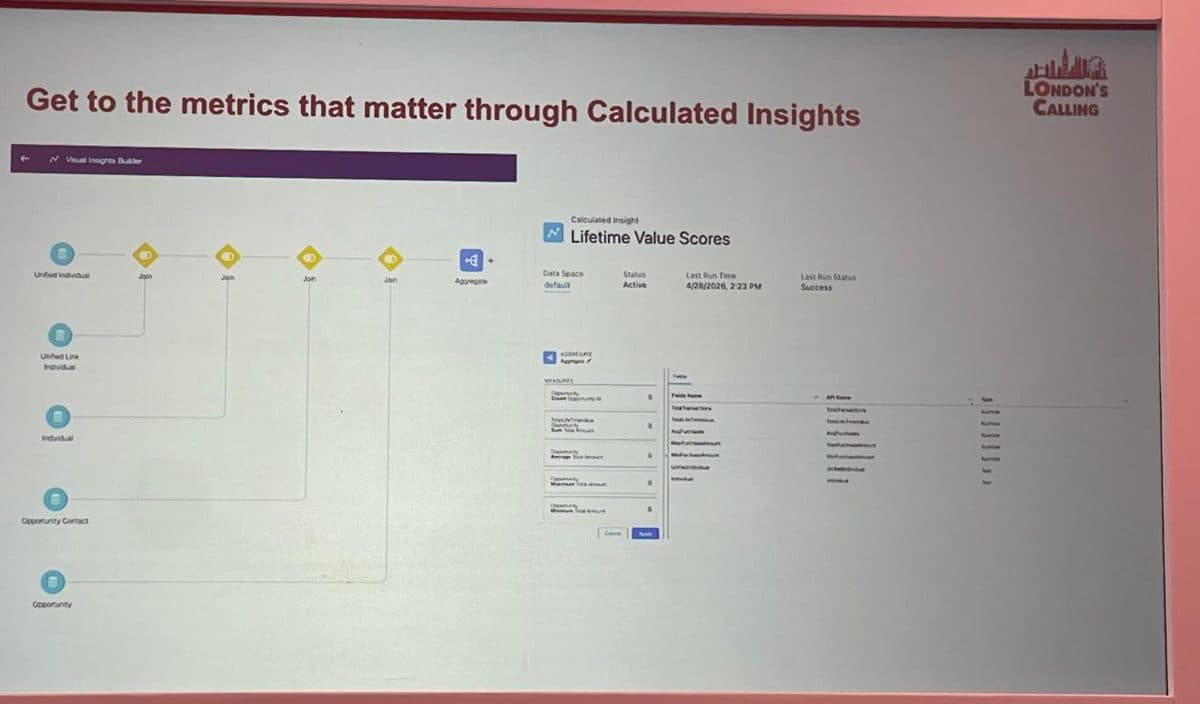
A Lifetime Value calculated insight, built visually. The metric that used to live in an Automation Studio SQL query now runs across all your unified data.
One marketer described them as the new Automation Studio. That’s the right instinct. The heavy-lifting metric work that used to mean writing SQL by hand is increasingly a point-and-click, reusable object instead.
The quiet skills shift: prompting in, SQL out
Three changes in how the work gets done, and together they redraw the job description.
Natural language is now everywhere in Marketing Cloud Next
You no longer start with a builder. You start with a sentence. “Create a segment of customers in our low and medium value tiers with a digital engagement score above 60.” The platform reads that, maps it to the right objects and attributes in the data model, and builds the segment. The same is true for campaign briefs and content. You describe the outcome; the agent does the assembly.
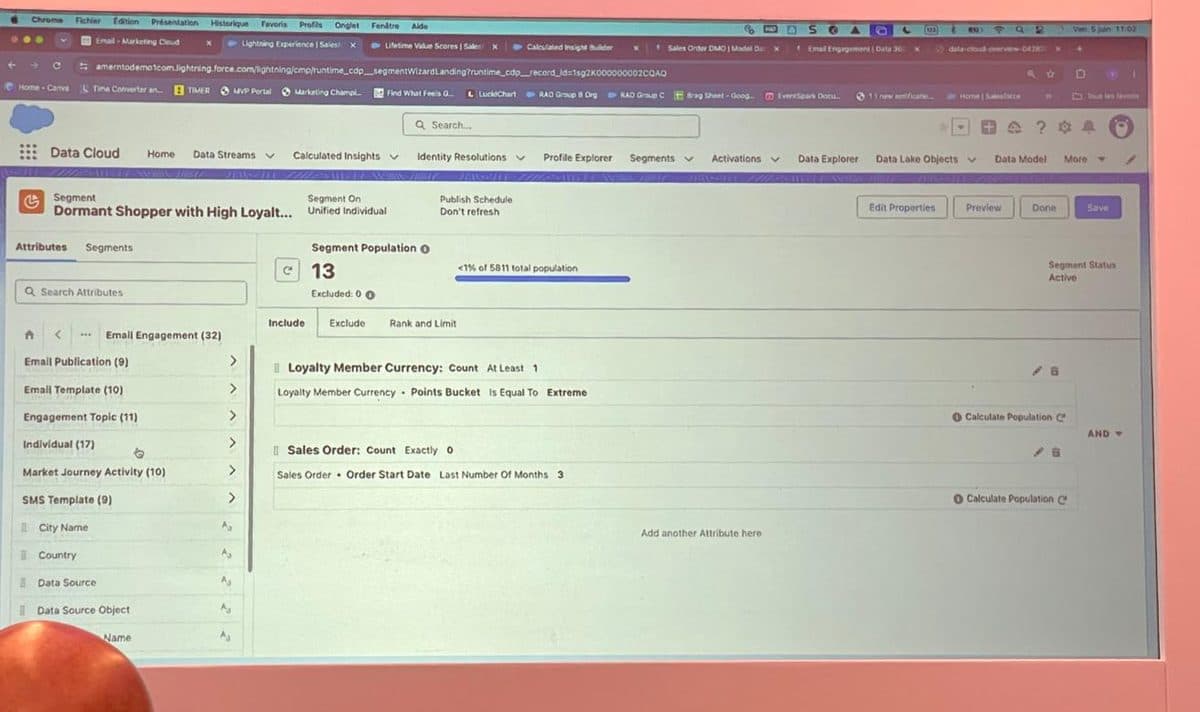
Segments built from a sentence. Behind it, the same data model and metadata still decide whether the answer is any good.
A word of caution that came straight from the workshop: natural language is only as good as the data dictionary behind it. There’s a tool called Metadata Studio that holds the descriptions of every object and field, and if those descriptions are vague, the agent picks the wrong field and your segment is quietly wrong. Prompting well isn’t just typing nicely. It’s knowing how the engine reads you.
Flows go vertical
If you’ve built journeys in Journey Builder, you think horizontally: a canvas that flows left to right. Marketing Cloud Next builds journeys in Salesforce Flow, which runs vertically, top to bottom. It looks like a small thing. It isn’t. It’s the same Flow your admins and architects already use, which means marketing journeys and the rest of your Salesforce automation finally speak the same language. The actions are different, but the canvas is one your wider team already knows.
SQL matters less. The data model matters more.
Put those two together and the conclusion writes itself. The hard-won skill of writing SQL in Automation Studio is becoming less central. Natural language and calculated insights cover more of that ground every release. What rises in its place is understanding the data model, knowing how identity resolution behaves, and being able to brief an agent precisely. SQL was the moat. The moat is draining. The new high ground is the model underneath.
To build marketing agents, you need Marketing Cloud Next and Agentforce
This is worth saying clearly because it shapes the business case. The marketing agents everyone’s excited about, the ones that draft a campaign brief, build the audience, write the email and set up the journey, are an Agentforce capability running on Marketing Cloud Next. The two come together. You don’t get the autonomous marketing team on the old stack.
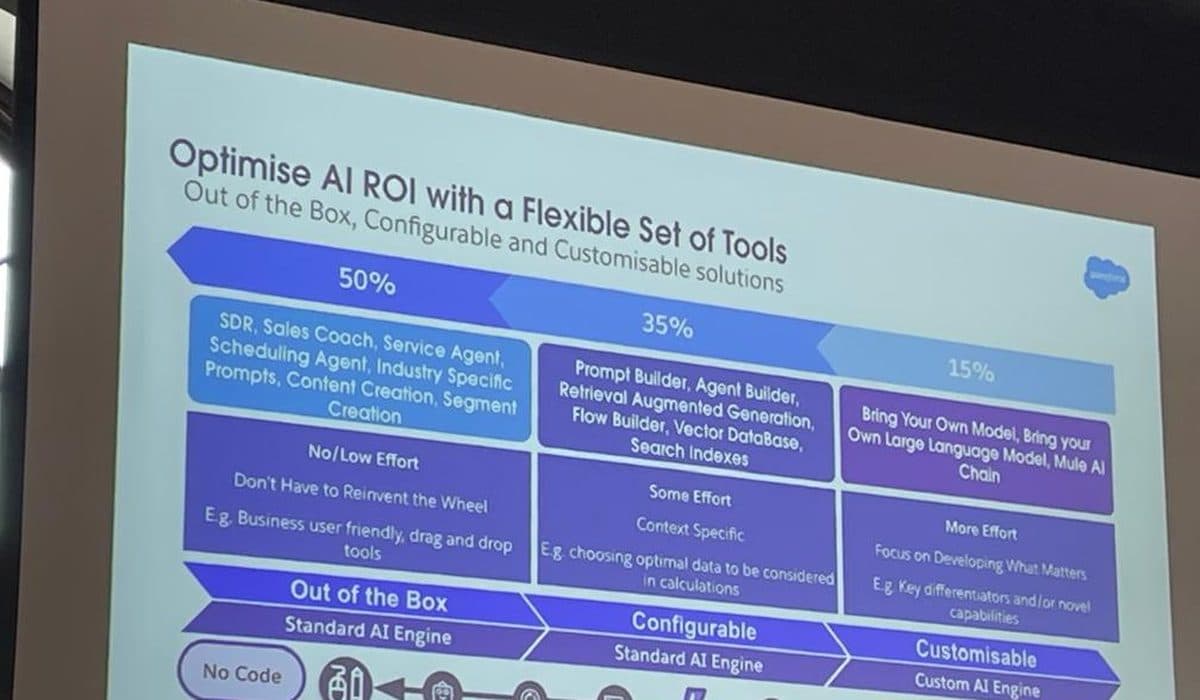
The reassuring shape of the work: roughly half of agent use cases are out of the box, a third are no-code configuration, and only a slice needs a custom build.
The encouraging part, and the bit that should calm any team picturing a huge engineering effort: a large share of what you’d want is already out of the box. Campaign creation, content, segmentation. The advice from the people who do this for a living was refreshingly grown-up. Think backwards from a real business problem. Start with a boring, valuable use case. Keep the instructions simple, and when an agent misbehaves, the fix is almost always to simplify, not to add more rules.
“In 2026, your selling point as a marketer in the Salesforce world is no longer how well you build. It’s how well you prompt, frame the story, and orchestrate.”
Before you migrate: get your Engagement house in order
One of the most useful sessions was about the mistakes that quietly rot a Marketing Cloud Engagement org, and it’s the most practical thing I can pass on. Here’s the blunt truth: if your Engagement org is a mess, migrating it to Marketing Cloud Next just moves the mess to a more expensive house. Clean first.
The data firehouse
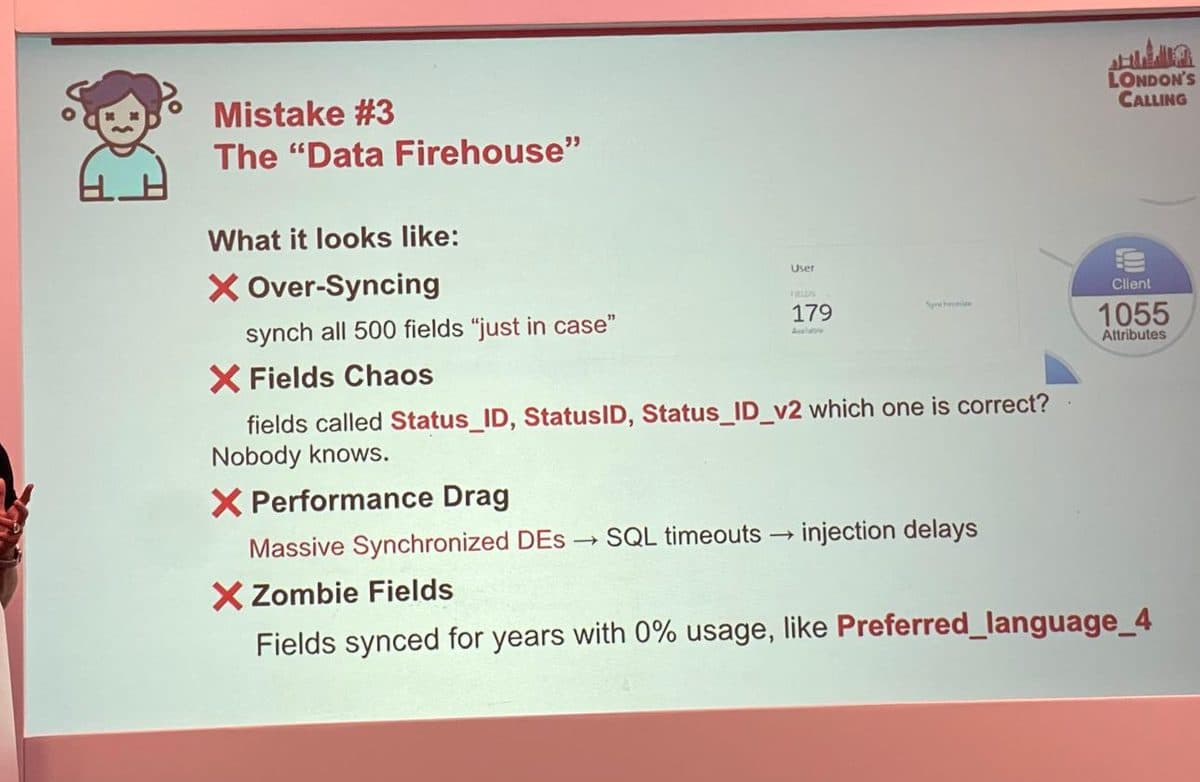
Over-syncing 500 fields “just in case”: field chaos, SQL timeouts, and zombie fields nobody has used in years.
Syncing every field “just in case” feels safe and costs you later. You end up with three fields called Status_ID, StatusID and Status_ID_v2 and nobody knows which is right. Massive synchronised data extensions cause SQL timeouts and send delays. And you carry zombie fields, synced for years with zero usage. The rule that fixes it: only sync fields you actually use to segment or personalise. Marketing Cloud is not a mirror of your CRM.
The just-in-case museum
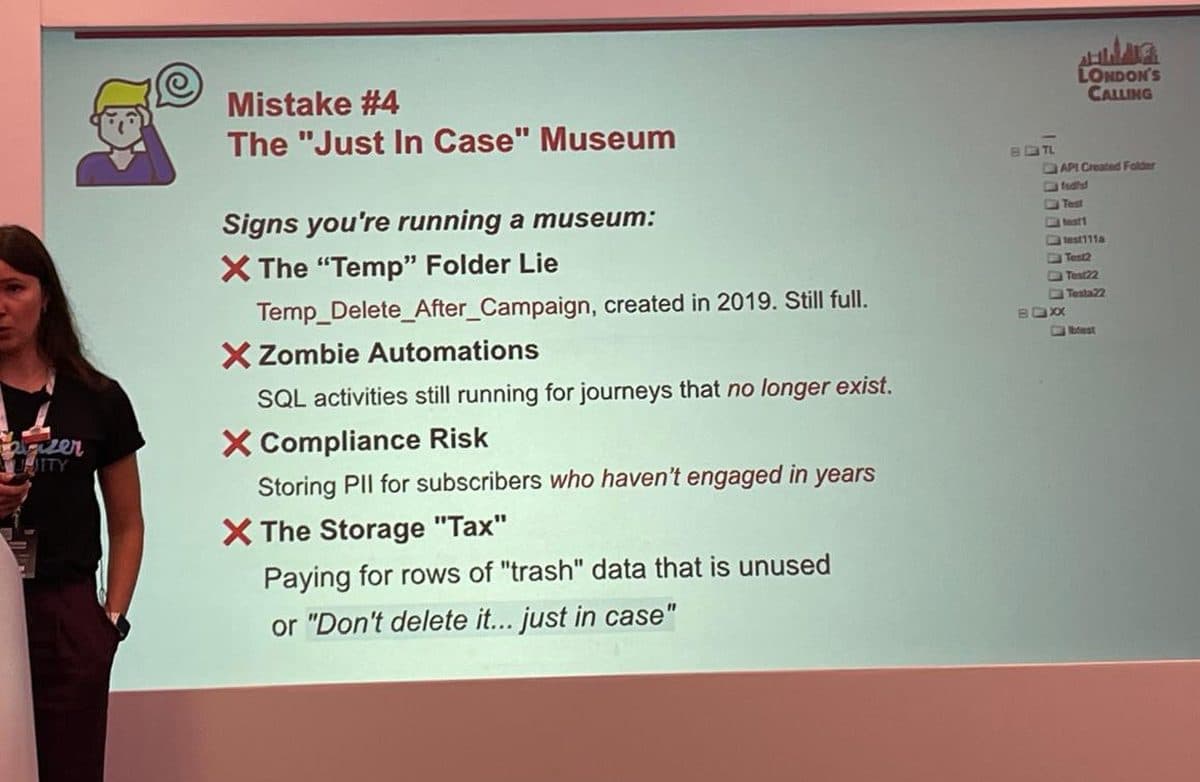
The “Temp_Delete_After_Campaign” folder created in 2019, still full. Zombie automations. PII you no longer have a reason to hold.
The museum is the org full of things kept “just in case.” A “Temp” folder created in 2019 that’s still full. SQL activities running for journeys that no longer exist. PII held for subscribers who haven’t engaged in years, which is a compliance risk as much as a tidiness one. And the storage tax: you’re paying to keep rows of data you’ll never use.
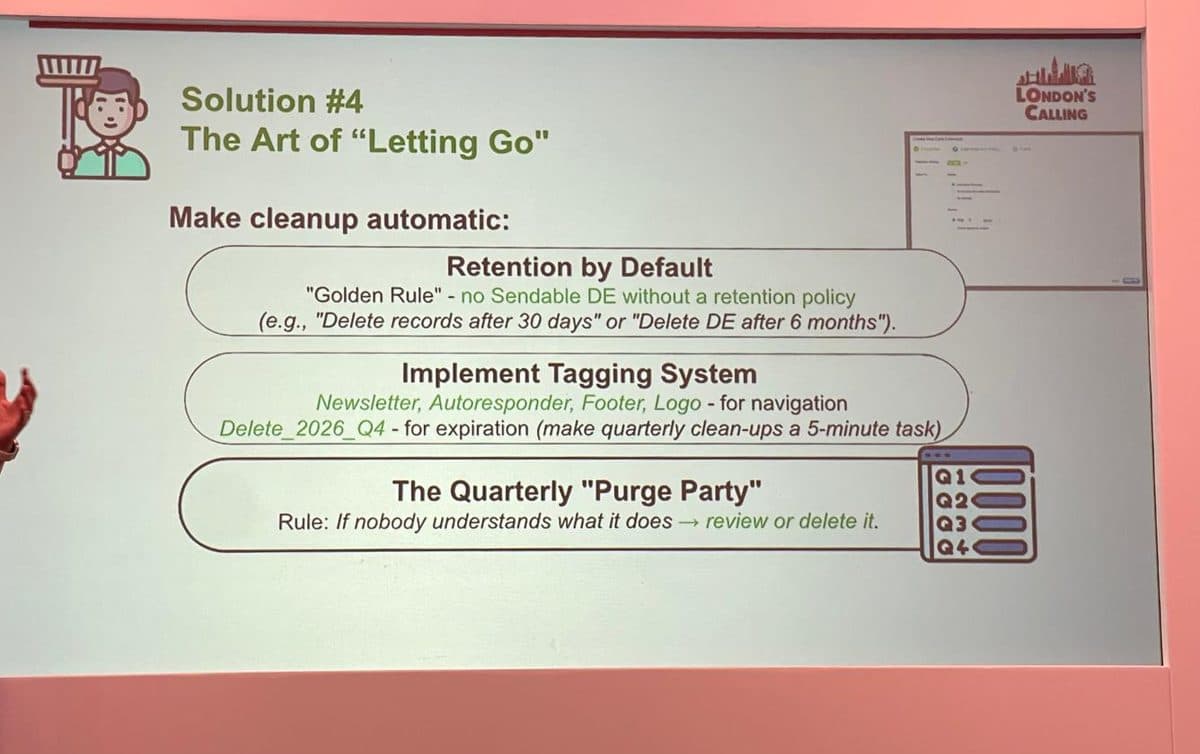
The fix is making cleanup automatic: a retention policy on every sendable data extension, a tagging system, and a quarterly purge.
The fix is to make letting go automatic. A golden rule of no sendable data extension without a retention policy. A tagging system so cleanup is a five-minute job, not an archaeology project. And a quarterly purge with one simple test: if nobody can explain what something does, review it or delete it.
The two-minute version, and the framework
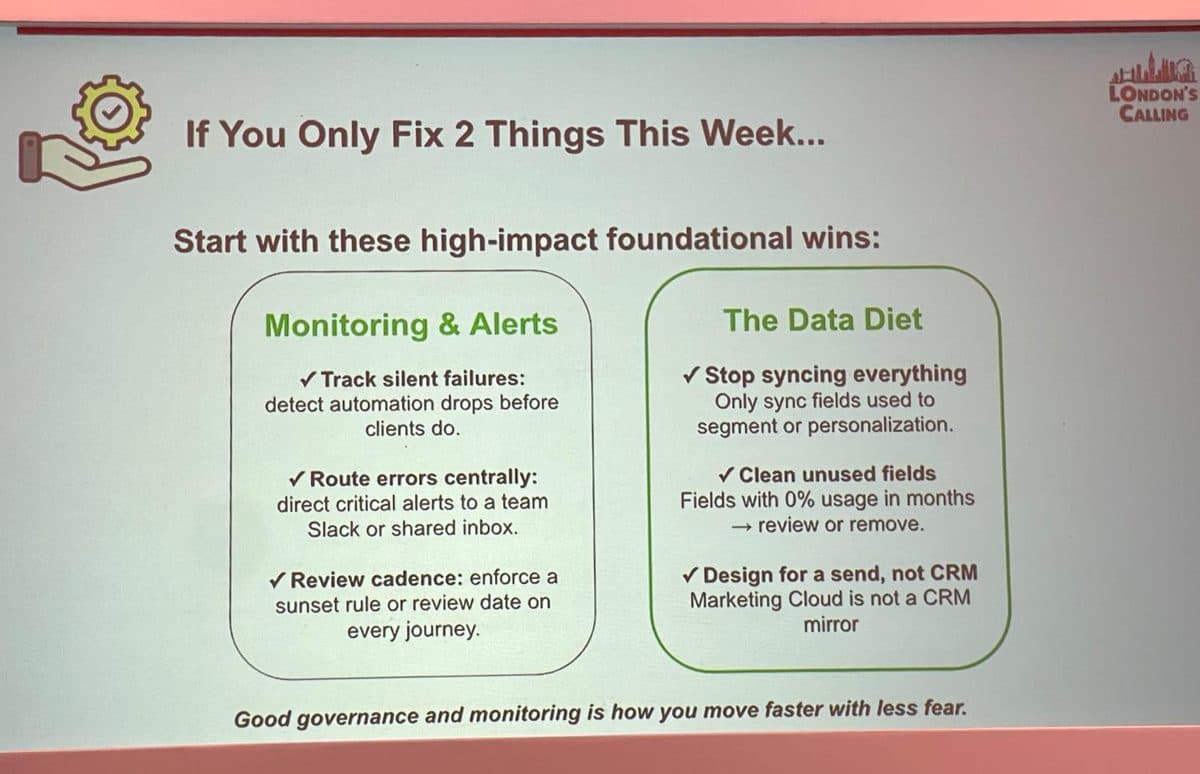
If you only do two things: set up monitoring so you catch silent failures before clients do, and put your data on a diet.
The session boiled it down to two fixes for the week, and the speaker was clear that the first one was the mistake she rated as the most dangerous she’d found.
First, monitor for silent failures. A silent failure is an automation that stops working without telling anyone. The overnight data import that fails one morning. The SQL activity that errors and simply doesn’t run. Nothing breaks loudly, no alert fires, and the journey carries on sending. The catch is that it’s now sending on stale or missing data, and the first person to notice is usually a customer, weeks later. The fix is to wire up monitoring so a dropped automation pings a team channel or shared inbox the moment it happens, not at the next campaign review. It’s the cheapest insurance the platform offers, and almost nobody turns it on. That’s why she put it first.
Second, put your data on a diet by syncing only the fields you actually use. The closing line is worth pinning up: good governance and monitoring is how you move faster with less fear. That’s the whole Agile Delivery philosophy in a marketer’s sentence.
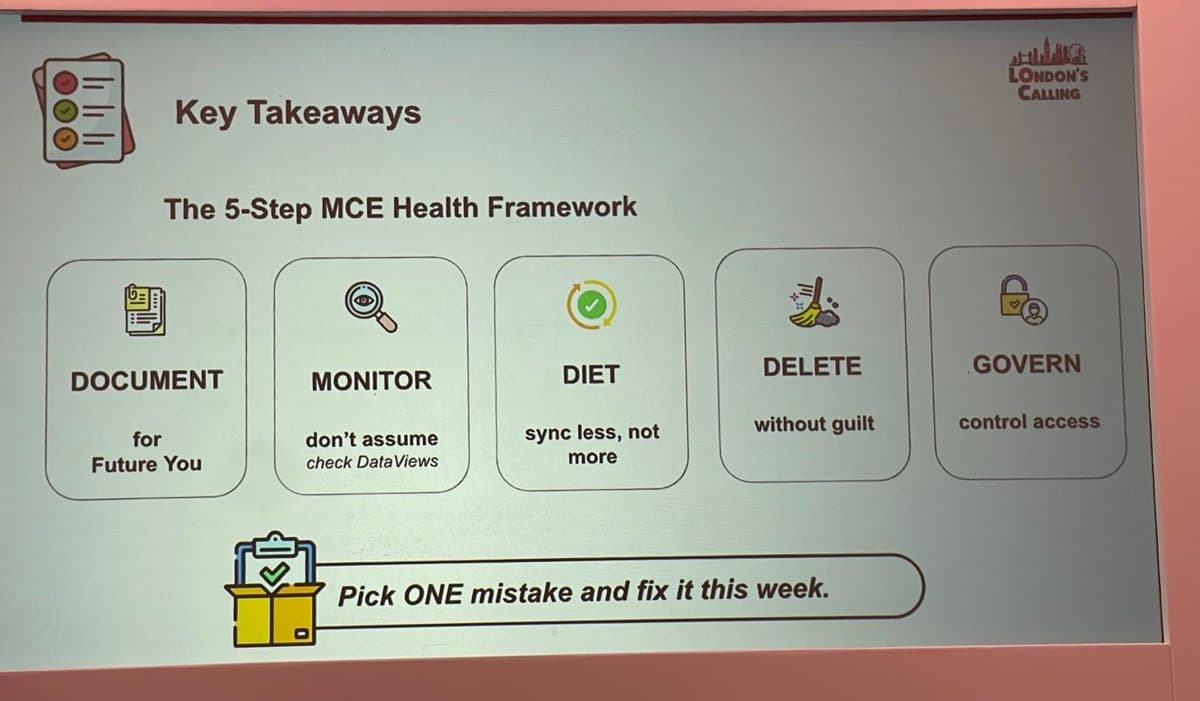
The five-step health framework. Document, monitor, diet, delete, govern. Pick one mistake and fix it this week.
What I’d tell a CMO in the lift
If you have twenty seconds to brief a sponsor, three things matter more than any feature.
First, this is a multi-year migration, not a switch-off. The horizon is years. Plan it on your terms, and don’t let the urgency be manufactured by anyone, including a vendor.
Second, the real decisions are Data 360 and consumption, not the marketing UI. The platform is the easy part to demo. Whether your data is unified and governed, and whether you’ve modelled what your consumption will actually cost, is what decides if this pays back.
Third, clean before you carry. The cheapest, least glamorous work, getting your Engagement org healthy, is the work that makes the migration smaller and the consumption bill lower. Do it now, while you have time, rather than under deadline.
Marketing Cloud Next doesn’t remove the hard questions. It moves them earlier, into data and governance. The teams that win treat the bundle as a reason to regain control, not a reason to rush.
Shaping your move to Marketing Cloud Next?
If you’re weighing up the migration, the consumption case, or how to get your Marketing Cloud and Data 360 estate ready, fractional advisory exists for exactly this. We work the trade-offs against your real org, your real data and your real budget, and give you a one-page view your sponsor can act on.
Explore fractional advisoryFurther reading
Source material and authoritative references for the topics in this article.
- •Salesforce announces Marketing Cloud Next. The official announcement of the native, Data 360-based platform.
- •Marketing Cloud Growth vs Advanced. A feature-by-feature comparison of the two editions, from Salesforce Ben.
- •How Salesforce is rebuilding Marketing Cloud for the age of AI. Useful background on the architecture shift.
- •AMPscript support has arrived in Marketing Cloud Next. The Summer ’26 release detail, from Nobuyuki Watanabe’s SFMC Tips.
About the author

You may also like…